

Misc homebrew
Apps, prototypes and demos of PS3 games, and more.
How to install PKG files
Installing PKG files on your PS3 is straightforward. Follow these steps:
- Copy the PKG file to a FAT32 formatted USB drive.
- Insert the USB drive and navigate to Game → Package Manager.
- Select "Standard Package Installation" and choose your PKG file.
- Follow the on-screen prompts to complete the installation.
- Once complete, the installed item will appear on your XMB.
Apps
CELL
By Dehz.
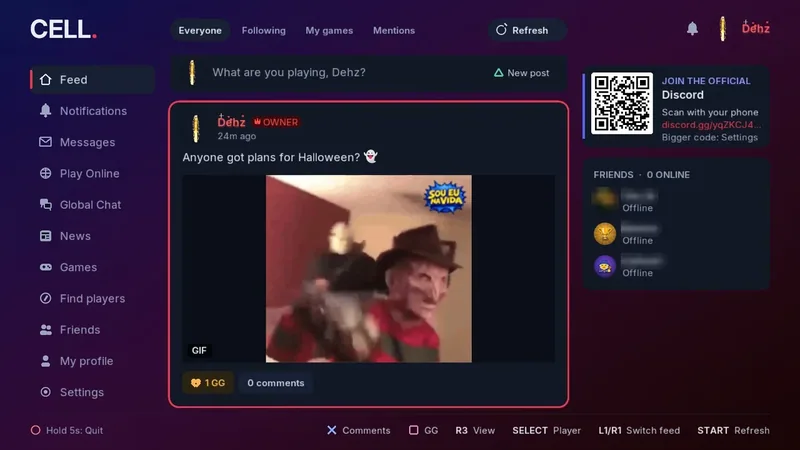
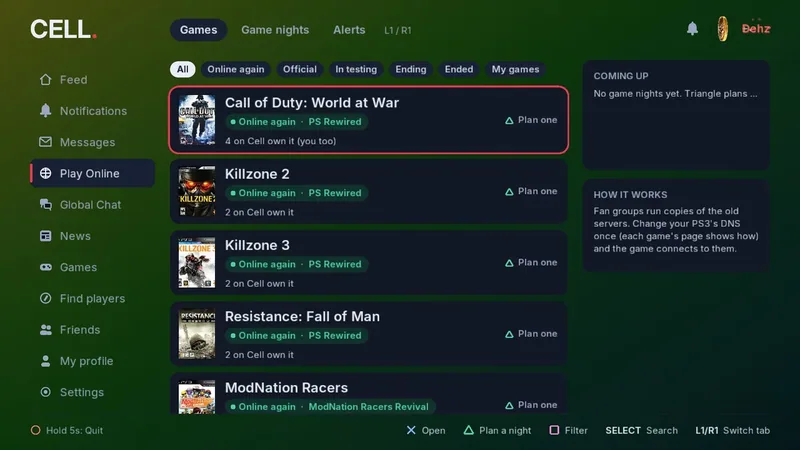
A social network that runs on the PS3. Make friends, post with screenshots and GIFs, chat, and find people to play revived online games with.
- Profiles with animated GIF pictures, banners, bios, badges and a wall
- Feed with likes (GGs), comments and @mentions
- Messages with friends, and a Global Chat for everyone
- Play Online: 90+ games kept alive by revival servers, each with DNS setup steps, “it worked” reports and game nights
- Friends, Find Players, Notifications and News, in English, Spanish, Portuguese, French, German or Italian
Couch
By lucasdaddiego.
A living-room dashboard for your TV, drawn at 1080p on the PS3: the time, the weather, exchange rates, the next public holiday and the news. After 10 minutes it turns into a screensaver with a big clock, the weather and one headline at a time, moving now and then to protect the TV.
- Board: the weather now and for the next hours and days, rain, air quality and UV, the sun and moon, exchange rates with 30-day charts, the next holiday and a news ticker, over a sky that follows the real weather
- News: the latest headlines from your RSS feeds, with a reader and a QR code to open the full article on your phone
- Info: the Cell and RSX temperatures, the fan speed and the night mode hours
- Extra pages for football fixtures and the Argentine economy, if your Worker provides them
Note: Couch gets its data from a small Cloudflare Worker you set up yourself (the free plan is enough), with your city, currencies and news feeds. Put the Worker’s plain http:// address in /dev_hdd0/tmp/couch/board_url.txt. The setup steps are on GitHub.
ORBIT
By C2V4ZA.
Text and voice chat between PS3s, with no PSN account and no company server. Each PS3 signs in with its own secret key, and every community server lives on the PS3 that created it.
- Friends and private or group messages, with offline messages
- Community servers with channels, roles, voice channels, reports and timed bans, plus Discover to browse public communities on connected PS3s
- Profile pictures from a USB stick or your phone (scan the QR code), with animated GIF pictures and server icons
- Notifications that show up in the XMB and in games even when ORBIT is closed, with the plugin
- 8 themes, and 9 languages chosen from your PS3’s system language: English, German, French, Spanish, Italian, Portuguese, Russian, Ukrainian and Norwegian
Note: consoles on the same network find each other; over the internet ORBIT opens its own tunnel, with no router settings. Version 1.2.0 is new: background notifications are confirmed on a real PS3, and the author is still testing the other new features on hardware.
HomeTidy
By orenatobr.
Tidies your webMAN MOD game list from the console, with the controller and no computer. It does three jobs you would otherwise do over FTP.
- Sort game list: puts the list in order, A to Z, with games from one series in release order
- Mark as completed: draws a green check on the cover of a finished game, and you can remove it later
- Update covers: downloads missing or different PS3, PS2 and PS1 covers, with a progress bar
Note: needs custom firmware with webMAN MOD, and the app is in English only. It saves backups of your game list before changing it, but the author is still testing it on real consoles, so make your own backup first. There is a Wii U version too.
Prototypes and Demos
Until Dawn 2012 Beta

Originally developed as a PlayStation 3 game with PlayStation Move support. A Beta version was unveiled and promoted at Gamescom in 2012.
However as the project advanced, Supermassive Games reconfigured the game to be a PlayStation 4 exclusive, with many of the game's mechanics changing between the initial Beta and the 2015 launched version. Multiple different builds of the PS3 Beta exist, with third-person and first-person player perspectives.

TimeSplitters 4
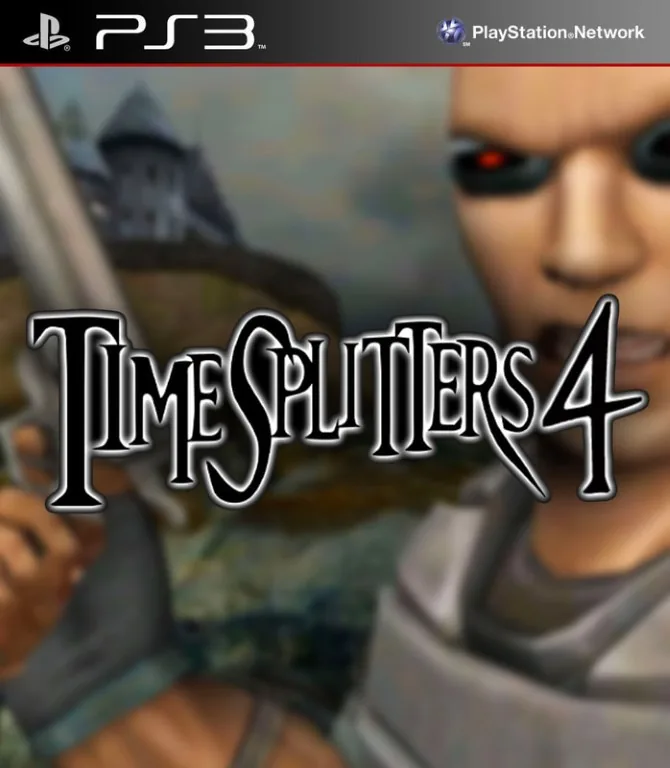
Prototype build of TimeSplitters 4 dated 7 November 2008 for PlayStation 3.

Installation instructions
Instructions to play on a PS3:
- Get ManaGunZ (second one down): brewology.com/ahomebrew.php?brewid=284
- Extract
TEST01236from the zip and transfer to anywhere on your PS3 HDD using either FTP or USB. - (HEN only) Resign the eboot using a program called TrueAncestor (TrueAncestor Self Resigner by jjkkyu), or download ElApagaLuces' one: EBOOT.zip
- Drag the eboot into
TEST001236/USRDIRand replace the old one. - (Optional but recommended) Download the shotgun melee fix by devildwarf here: MeleeFix.zip. In order to use this fix, you must unpack the game's files using temporal-uplink-ts4.
- Drag the folder called
assetsinto theTEST001236/USRDIRfolder. - Install the ManaGunZ .pkg. FTP it to the packages folder or use USB, either works.
- Open ManaGunZ, press Select, navigate to
dev_hdd0and theTEST01236thenUSRDIR. - Now press Square on
eboot.binthen Triangle and then press X on Launch eboot. - When you're in-game press Circle and Up on the d-pad at the exact same time. You'll see bots enabled after a restart.
- Press Start and restart and have fun.