

ISO tools
A selection of ISO utilities for PS3 backups.
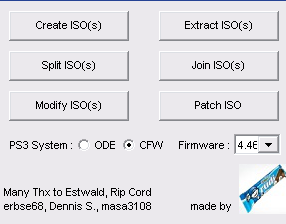
PS3 ISO Tools
By Rudi Rastelli.
All-in-one utility for ODE and CFW users.
Credits:
@Estwald for "extractps3iso" & "patchps3iso"
@Rip Cord for "resign_eboot", "resprx", "resspu" & "selfinfo"
@erbse68, Dennis S., @masa3108 for testing
- Generator – Folder → ISO (auto-joins split files)
- Extractor – ISO → Folder (optional splitting)
- Splitter – Split ISOs for FAT32 devices
- Joiner – Rejoin split ISOs
- Modifier – Rename ISOs via PARAM.SFO, add webMAN_mod tags, hide split parts, extract SFO/PNG
- ISO Patcher – Downgrade ISOs to 4.20 (CFW only)
- Game Patcher – Patch Folder-Format games to 3.55 (ODE & CFW)
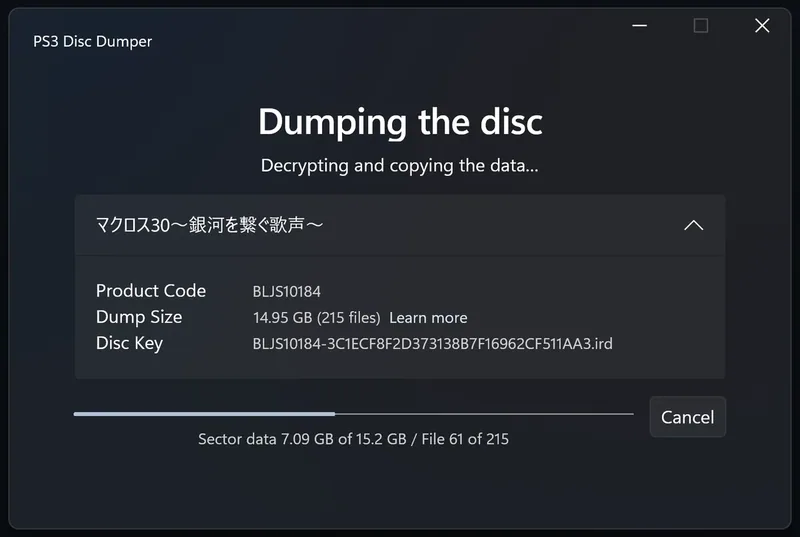
PS3 Disc Dumper
By 13xforever.
Makes decrypted dumps of your PS3 game discs on a PC, ready to play in RPCS3 or to copy back to a modded PS3.
Requirements:
- A Blu-ray drive that can read PS3 discs (not every drive can)
- The disc key, which is fetched automatically from Redump or the IRD Library. You can also drop your own key or IRD file into its cache folder.
- Windows or Linux
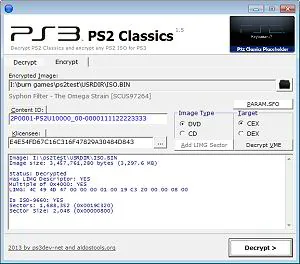
PS2 Classic GUI
Created by Aldostools & psdev-net Team.
PS2Classic GUI is a front-end for the PS2Classic tool developed by psdev-net team. The tool allows to decrypt PS2 Classics for PS3 and encrypt any PS2 to play on PS3 (fat/slim/superslim).
Encrypt
- Allow you to select ISO or BIN/CUE PS2 game image, and encrypt it to ISO.BIN.ENC file acceptable by PS3.
- In this mode app automatically ask that you want to add LIMG sector to image, but you can do this also by ADD LIMG button.
- Also in this mode you can encrypt VMC file to VME accepted by PS2 classics, but you don't have to do this for empty card, app do this while create pkg.
Decrypt
- Allow you to decrypt official PS2 Classic game (require klicensee), and decrypt files made by ps2classic GUI
- Decrypt VME memory card to non encrypted VMC file
- Decrypt Config File included in official and homemade packages
Make PKG
- Here you can build PKG with your ISO.BIN.ENC file
- Also here you will be prompted to add decrypted CONFIG file (cancel dialog if game work without config)
- You can change custom images and sounds here (ICON0, PIC0, PIC1, SND, etc.) for your pkg
- Change title displayed in XMB
PS2 Config Database
By Aldo’s Tools (aldostools).
Some PS2 games glitch, freeze or run slowly as PS2 Classics. The fix is usually a CONFIG file: a small set of patches for the PS3’s PS2 emulator, made for one game. Aldo’s list has them by game ID, so look up your game before you build its PS2 Classic with PS2 Classic GUI above.
Find your game’s ID (e.g. SLUS-20062) on the disc or case, then grab the matching CONFIG from the list.

PS3 ISO Decryptor GUI
Created by Rallye89.
A simple GUI application for decrypting and extracting PS3 game ISOs using ps3dec.exe and 7z.exe.
- Decrypt PS3 game ISOs
- Extract decrypted ISOs to a specified location
- Automatically delete decrypted ISO file after extraction
- Optionally delete the original ISO and DKey files
- Open the extraction location in a new Explorer window
- Save and load settings for paths to 7z.exe, ps3dec.exe, and the extraction location
- Find .dkey files through a web link
- Find .iso files through a web link
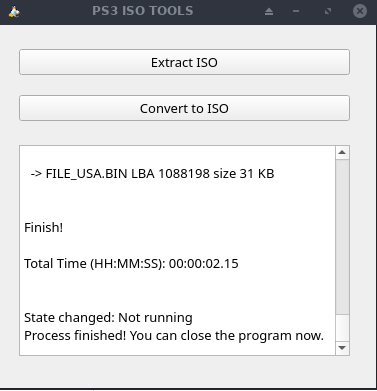
Linux PS3 ISO Tools GUI
Created by Klairm.
A GUI for using the PS3 ISO tools on Linux.
Note: This is just a Python GUI made with PythonQT created by Klairm for the ps3iso utilities programs created by Estwald/Hermes. The original source of those have been edited from bucanero's version to remove any user input required so the Python GUI will show the errors.