Misc tools
A collection of useful PS3 tools that don't fit into other categories.
 RPCS3
By the RPCS3 team. Free and open source.
The PlayStation 3 emulator for PC. Play your own dumped games (see PS3 Disc Dumper) with higher resolutions and frame rates than the original console.
- Windows 10/11, Linux (AppImage), macOS and FreeBSD
- Needs the official PS3 system software, installed through File → Install Firmware
- Check how well a game runs on the compatibility list
System requirements (2026)
| Spec | Minimum | Recommended | Optimal | Max performance |
|---|---|---|---|---|
| OS | Linux Windows 10 macOS 14 FreeBSD 14 | Linux Windows 11 | Linux Windows 11 | Linux |
| CPU | Intel Core 2 Duo AMD Athlon 64 X2 ARM Cortex-A55 / A75 Apple M1 | AMD Ryzen 5 5600 Intel Core i5-10400 | AMD Ryzen 5 9600X Intel Core i5-13600K | AMD Ryzen 7 9800X3D |
| GPU | ATI HD 5450 NVIDIA GT 420 Intel Arc A310 | AMD RX 5600 XT NVIDIA RTX 2060 | AMD RX 5600 XT NVIDIA RTX 2060 | AMD RX 7800 XT NVIDIA RTX 4070 |
| RAM | 8 GB | 16 GB | 16 GB | 16 GB |
| Storage | HDD, eMMC, SD card | SSD | NVMe SSD | NVMe SSD |
| Details | Variable performance on all games | As good as a PS3 or better on Playable games* | Outperforms a PS3 on most games | Significantly outperforms a PS3 on all games at 4K |
*Games marked Playable on the RPCS3 compatibility list. Requirements from the RPCS3 team.
ps3netsrv
Maintained by aldostools as part of webMAN MOD.
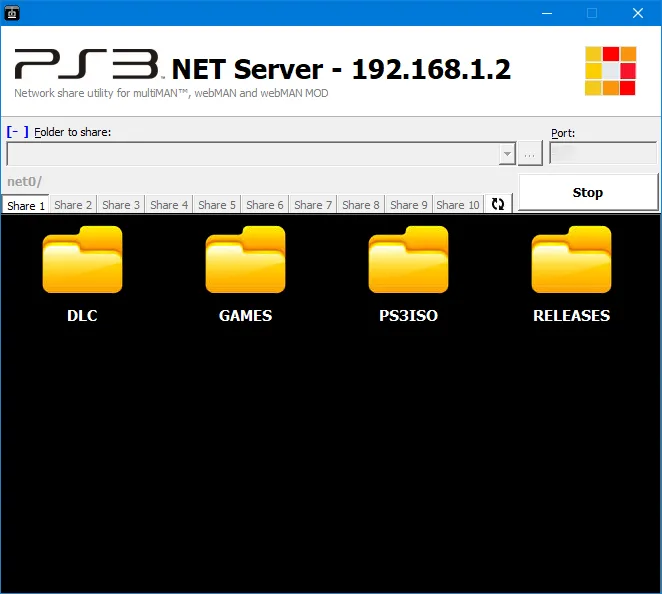
A small server for your PC that lets webMAN MOD, multiMAN or IRISMAN play backups stored on the PC over your home network, with no copying to the PS3 hard drive.
- Runs on Windows and Linux (macOS through a third-party GUI)
- Put folder-format games in
GAMESand ISOs inPS3ISO(alsoPS2ISO,PSXISO,PKGand more) - Enter the PC's IP address in webMAN's settings (default port
38008) - PS2 ISOs are copied to the internal drive before they launch
Download the ps3netsrv_*.zip file from the webMAN MOD releases page.
PS3 Tools
Credit: setsid. Modern Warfare 2 fix built from work by Jakes625, with his permission.
A Windows toolbox for a PS3 on CFW or HEN with webMAN MOD, all over your home network. Press Find my PS3 or type its IP address; there’s nothing to install on the console.
- Diagnostics: reads firmware, temperatures, fan, storage, plugins, crash reports and your game list, then explains problems in plain English (a USB drive that won’t mount, a split ISO with a part missing, Cobra off while ISOs are present, two game managers in
boot_plugins.txt). It only reads, hides your IDPS, PSID and MAC in the report, and saves everything to one zip you can send to whoever is helping you. - Monitor: graphs CPU and RSX temperatures, fan and free space over time, with what game was running, and saves it to CSV.
- Call of Duty PSN fixes: Black Ops II freezing online, and Modern Warfare 3, Black Ops and Modern Warfare 2 dropping you from lobbies or resetting your rank on PSN accounts made after late 2018. The fixed files are backed up to your PC first. Only apply the rank fixes if your rank actually resets.
- Also downloads title updates from Sony, installs packages, backs up save data, and transfers games with resume.
Needs webMAN MOD with its FTP server on, and the PS3 at the XMB rather than in a game. Windows’ SmartScreen will warn about the unsigned .exe: click More info then Run anyway, and check its SHA-256 against the one on the release page. It replaces the old bo2-psn-fix and mw3-psn-fix tools.
PS3 Game Extractor (PKGs)
Features:
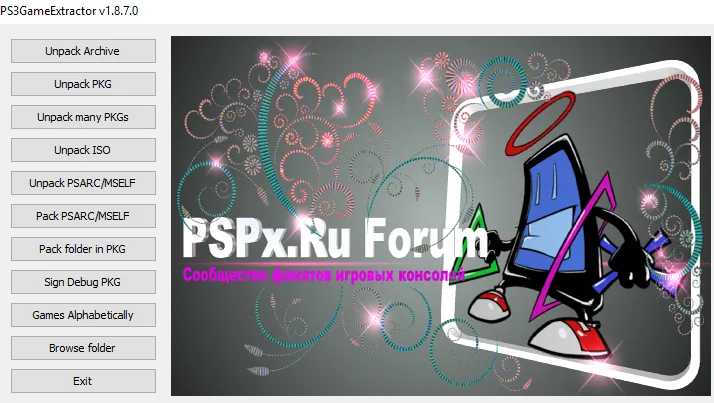
- Unpack multiple archives e.g. 7zip, rar, zip, .001, etc.
- Unpack PKG in a folder with the name of its Content ID
- Unpack several PKGs at once
- Unpack ISO
- Unpack PSARC/MSELF archive of the game
- Pack PSARC/MSELF archive of the game
- Pack Game Folder into PKG format in less than 4GB and 2GB PKG parts
- Ability to sign Debug PKG to Retail PKG
HEN Icon Changer
Credit: Videogamesscz.
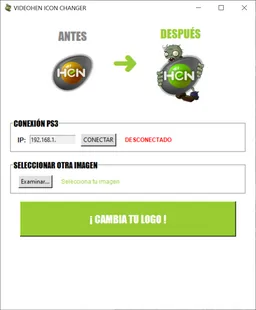
A PC tool that lets you change the HEN egg icon on your PS3 to any image you choose. Connects via FTP, auto-resizes images, and applies changes instantly.
Note: Tool is in Spanish.
Note: Updating HEN will reset the icon back to default and the tool will need to be used again.

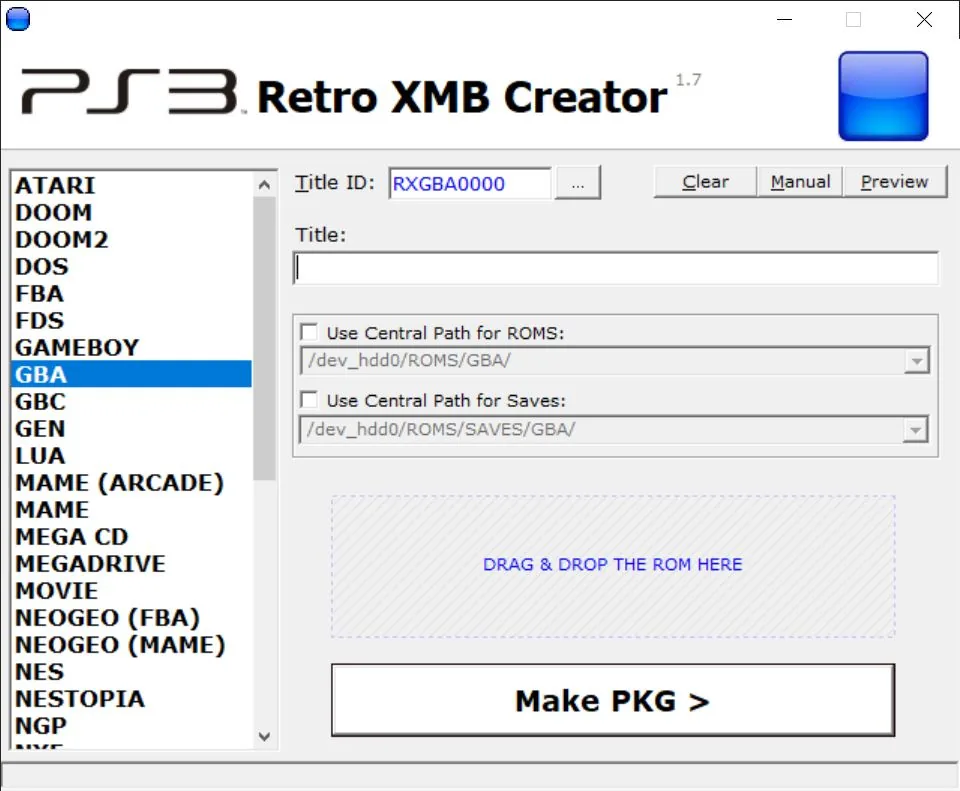
Retro XMB Creator
Credit: aldostools.
This tool allows to create shortcuts of your many type of Games and Videos, with custom image's and artwork and even manuals in DDS format.
Requirements:
- Multiman or Irisman installed
- RetroArch installed; optionally the RetroXMB edition add-on which allows the PKGs to work even if RetroArch is updated
Creating PKGs
- Launch the RetroXMB Creator. You may be prompted for initial settings for whatever emulator is selected; you can close this menu as you will need to select the correct emulator first.
- Select your desired emulation type from the left-hand menu and click the blue square in the top right corner. The correct settings menu will pop up, and you can change some general settings, as well as core-specific options. Select Save when finished.
- Enter the your own Title ID (or leave the default), and enter the title of your game.
- Add your ROM by clicking or dragging it into the program.
- Optional:
- "Use Central Paths for ROMS" - If you specify a location, it will not include your ROM in the PKG, but rather look for your ROM in your specified location and launch it. External hard drive paths can be used, but your hard drive must be plugged into the USB you specify in the path name (starting with USB000 being the right-most USB).
- "Use Central Path for Saves" - If you specify a location, it will create save files in the specified location. If one is not specified, it will create save files in the
.../game/<titleID>/folder. External hard drive paths can be used, but your hard drive must be plugged into the USB you specify in the path name (starting with USB000 being the right-most USB). - Select the "Manual" button. Here you can create an XMB Manual.
- Select the "Preview" button. Here you can right-click different areas of the screen and specify various items. You can also browse a repository of ICON1.PAM files and manuals for your game, as well as select the (*i*) icon to add notes or a description.
| File Type | Content | Resolution | Notes |
|---|---|---|---|
| ICON0.PNG | Content Icon | 320x176 | |
| ICON1.PAM | Content Icon Video | 320x176 | Sound is supported; Limit of 2.4MB in combination with SND0.AT3 |
| SND0.AT3 | Content Icon Sound | N/A | Overrides sound of ICON1.PAM if present; Limit of 2.4MB in combination with SND0.AT3. You can make your own by visiting this page. |
| PIC0.PNG | Overlay picture | 1000x560 | Only visible in 16:9 screens |
| PIC1.PNG | Background picture | 1920x1080 | |
| PIC2.PNG | Overlay picture | 310x250 | Only visible in 4:3 screens |
- Select "Make PKG" and the package will be created.
A guide for creating your own ICON1.PAM can be found on this page.
Source: ConsoleMods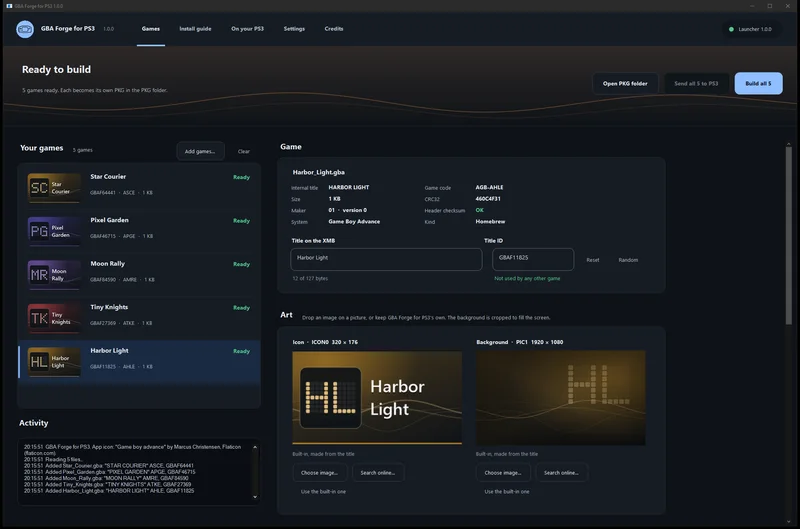
GBA Forge for PS3
By daedra000.
A Windows app that turns a Game Boy Advance, Game Boy or Game Boy Color game you own into its own PS3 package, for HEN and CFW. Each game gets its own icon and background on the XMB and boots straight into the game through the built-in mGBA 0.10.5 emulator, so nothing else is needed on the PS3.
The Windows app
- Add
.gba,.gb,.gbcand.mb(GBA multiboot) games, up to 100 at once, and build them one by one or all together - For each game: the XMB title and title ID, the icon and background, how it plays (picture size, filter, buttons, frame blending) and whether it continues where you left off
- Art made from the title, your own images, or Find art online from libretro’s thumbnails or SteamGridDB, where you pick the picture
- A GBA game’s save type and clock can be set by hand for games that detect them wrongly
- Send to PS3 over webMAN MOD’s FTP: new games install, installed ones update in place with their saves kept
- On your PS3: lists the GBA Forge games installed there, each with Update, Back up and Remove, plus backups of every game’s saves to your PC and Restore
- In 17 languages
On the PS3
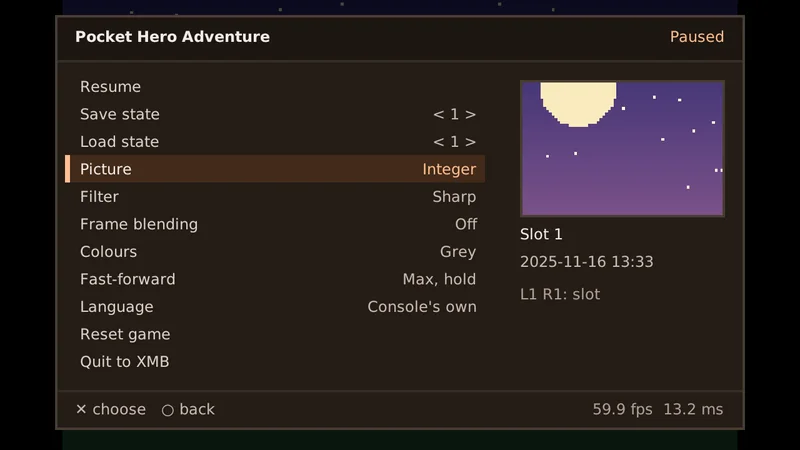
- Pause menu (tap L2, R3, or Start + Select): nine save state slots with thumbnails, picture size and filters (sharp, smooth, LCD grid, CRT), colour modes including classic Game Boy shades, fast-forward (×2, ×3, Max), language, reset and quit
- Hold L2 to rewind, R3 + L1 / R1 to quick save and load, and hold R2 to fast-forward
- Battery saves are written safely in the background, with a backup offered if a save goes missing or gets damaged
- Saves live in
/dev_hdd0/game/<title ID>/USRDIR/saves/
How to use it
- Unzip the folder anywhere and run
GBAForgeForPS3.exe. Keep thelauncherfolder next to it. - Drop a game on the window, or click Choose….
- Check the title and title ID. Optionally drop your own icon and background on the previews: the icon is fitted whole with its transparency kept, and the background is cropped to 1920×1080 from the middle.
- Click Build PKG or Build all. Packages go to the
PKGfolder next to the app (change it at the bottom of the window). - Copy the PKG to a USB stick or
/dev_hdd0/packages/and install it with Package Manager. Or type your PS3’s IP address (Settings → Network Settings → Settings and Connection Status List) and click Send to PS3, with webMAN MOD running.
Updating a game: build it again with the same title ID and use Send to PS3, which keeps its saves. Installing a PKG by hand over an installed copy isn’t recommended: delete the old one from the XMB first, and back up its saves if you want to keep them.
BIOS (optional): mGBA’s built-in BIOS is used. If you have a dump of your own GBA’s BIOS, copy it as gba_bios.bin into the game’s USRDIR over FTP. It’s never put in a package.

Found a bug? Please send bug reports through the contact form (choose Bug report), with the game’s title ID and what happened.
Note: no games, BIOS files or box art are included. Use games you’ve dumped from your own cartridges. The online art search only sends the title and the game’s CRC32 or game code, and only downloads the picture you pick.
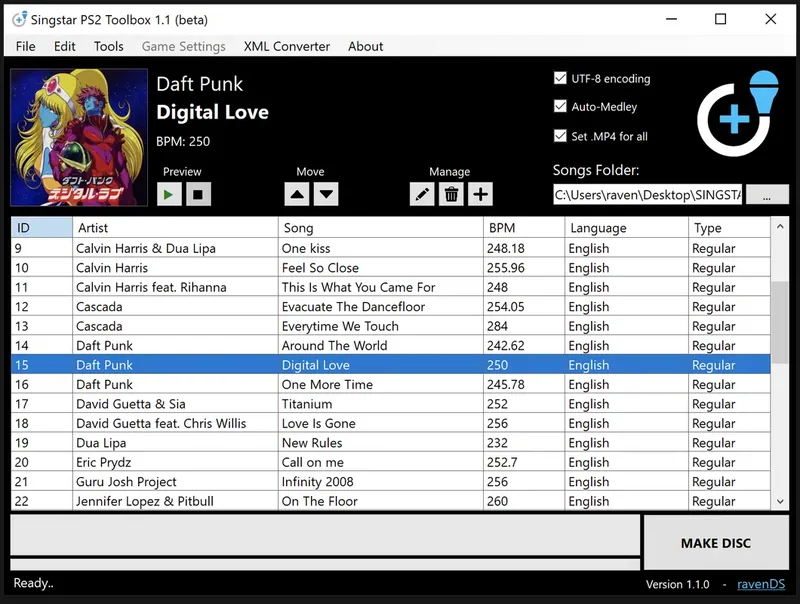
SingStar Toolbox
Credit: ravenDS
A Custom Disc Creator for SingStar.
Combine existing SingStar discs, create custom discs with your own songs, now with PS3 + FTP support!
Also includes tools for various formats used by SingStar games (PAK, PKD, PKF, IPU, MIB, IAV, CHC etc.).