

Homebrew tools
A curated list of the most useful homebrew utilities for your PlayStation 3.
How to install PKG files
Installing PKG files on your PS3 is straightforward. Follow these steps:
- Copy the PKG file to a FAT32 formatted USB drive.
- Insert the USB drive and navigate to Game → Package Manager.
- Select "Standard Package Installation" and choose your PKG file.
- Follow the on-screen prompts to complete the installation.
- Once complete, the installed item will appear on your XMB.
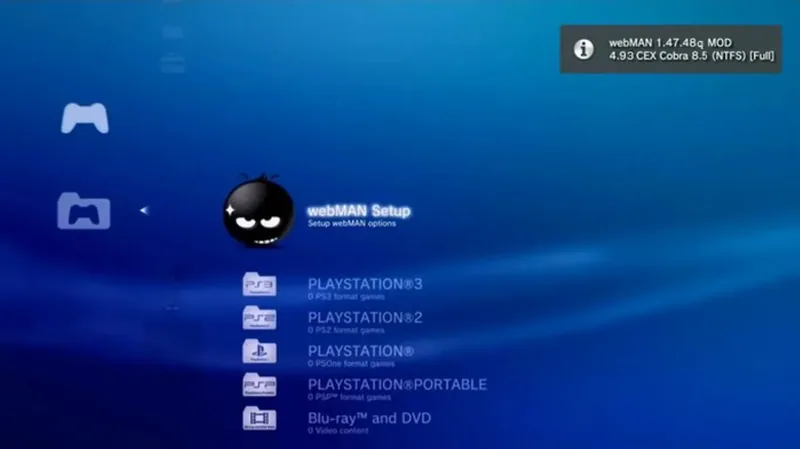
webMAN MOD
A homebrew plugin with many features added on the original webMAN/sMAN by Deank.
The application provides extended services for the PS3 console like web server, ftp server, file manager, netiso, ntfs, gamepad emulation, ps3mapi, tasks automation, memory debugger and more.

PS3 World App
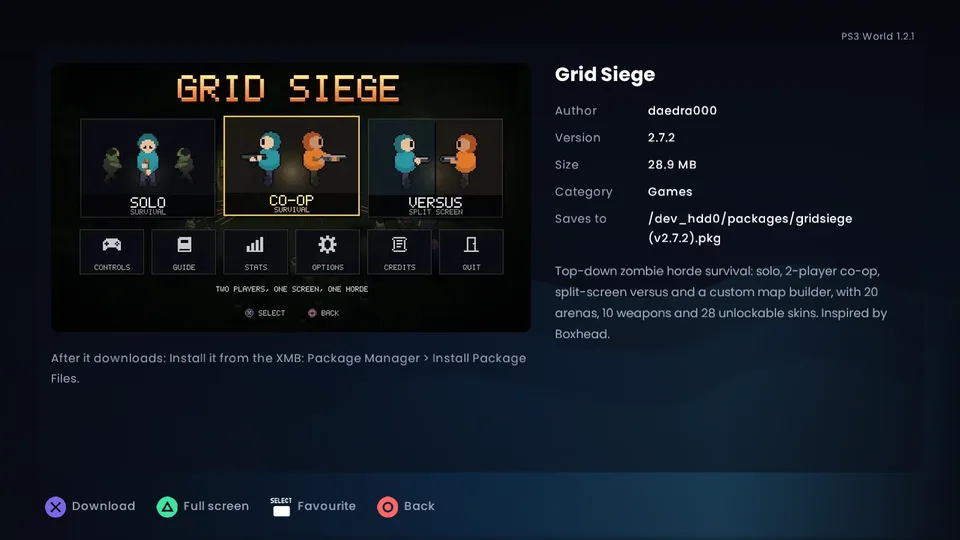
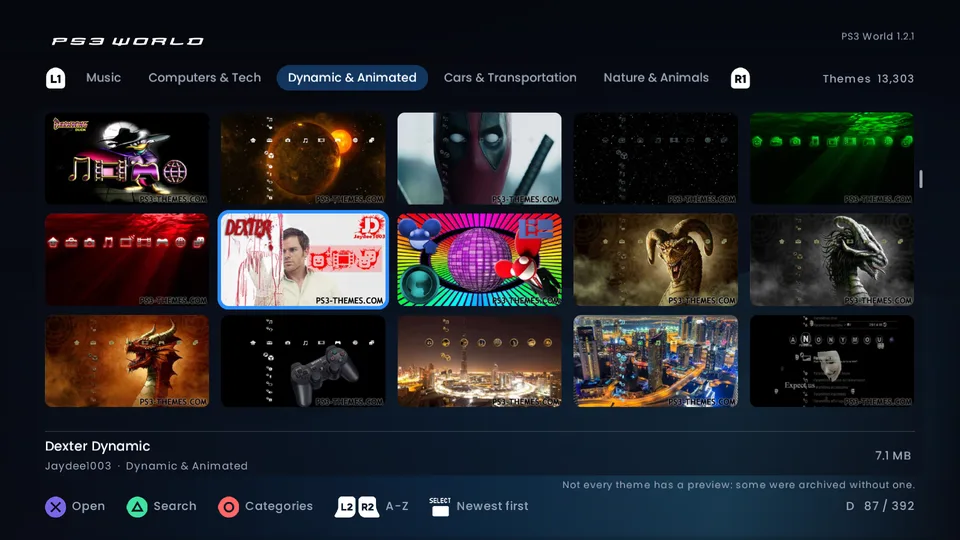
PS3 World for the PlayStation 3 (HEN and CFW): browse the PS3 World archives on the console and download homebrew, themes and avatars straight from dl.ps3.world, without a PC.
What's in it
- Homebrew, themes and avatars in the site's categories: homebrew by Games, Emulated Games (official games with their emulator built in), Translated Games, Ports, Edits (modded PS2 Classics), Tools, Media and Misc; themes by their 17 categories; avatars by region, in packs
- Search any list (Triangle), and jump by letter with L2/R2. Sort a list A–Z, newest first or largest first (Select)
- Surprise me (Square on a section's categories): something at random, from 13,000 themes or all the homebrew
- Previews of what you're downloading: a theme's screenshot, an avatar, a homebrew's art. Triangle on an item shows it full screen
- Saves where the PS3 looks: PKGs to
/dev_hdd0/packages(Package Manager → Install Package Files), themes to/dev_hdd0/theme, avatars to the chosen user'spsn_avatarfolder - Checked downloads: every file's size and SHA-256 are checked before it's kept, and a stopped download resumes where it left off
- Download queue: start several and keep browsing; the one running shows bottom right. Square on an avatar pack queues every avatar in it
- Big download warning: for anything 1 GB or more it shows the size and roughly how long it'll take at your recent speed, and checks there's room on the HDD
- Favourites: Select on an item stars it. They get their own card on the home screen and a tab in My downloads
- Recently added: each section lists what's new in the last 30 days, and a New ticker scrolls through it along the top of the home screen
- My downloads (Triangle on the home screen): the queue, then everything on the HDD with its date. Delete a file (Square twice), or get a homebrew's new version
- Free space on the HDD, on the home screen
- Updates: the home screen tells you when a newer PS3 World is out, and Square downloads it
- Credits & contact (Start on the home screen): who made it, what it's built with, and where to send your own homebrew, themes or avatars (ps3.world/contact)
- 1080p: with the PS3 set to 1080p, everything is drawn at full resolution (the RSX draws; the CPU fallback is 720p). On a 4:3 TV the app fills the whole screen with its own 4:3 layout
- News from ps3.world: the newest What’s New posts have their own card on the home screen, to read on the PS3, each with a QR code that opens it on ps3.world
- Sound effects: soft clicks as you move and choose (turn them off in the Language screen, under Select)
- 16 languages: English, Spanish, Portuguese, French, German, Italian, Dutch, Polish, Turkish, Danish, Indonesian, Russian, Chinese (Simplified), Japanese, Korean and Arabic, with joined letters and the whole screen laid out right to left, controls included. It follows the PS3's language, and Select on the home screen opens a grid of flags to pick another. Chinese, Japanese and Korean use the PS3's own system fonts


Install
- Copy
PS3WorldApp-v1.2.5.pkgto/dev_hdd0/packages/or a USB drive. - XMB → Package Manager → Install Package Files.
- PS3 World appears under Game.
Note: needs HEN (enabled) or CFW, a network connection, and the PS3's date and time set correctly.
On 1.2.1? Don’t press Update inside the app: in 1.2.1 it can freeze the PS3, so the in-app update is switched off for now. Download the latest version with the button below and install it over your current one with Package Manager.
Version 1.2.5. Installs as PSWD00001.
PKGi PS3
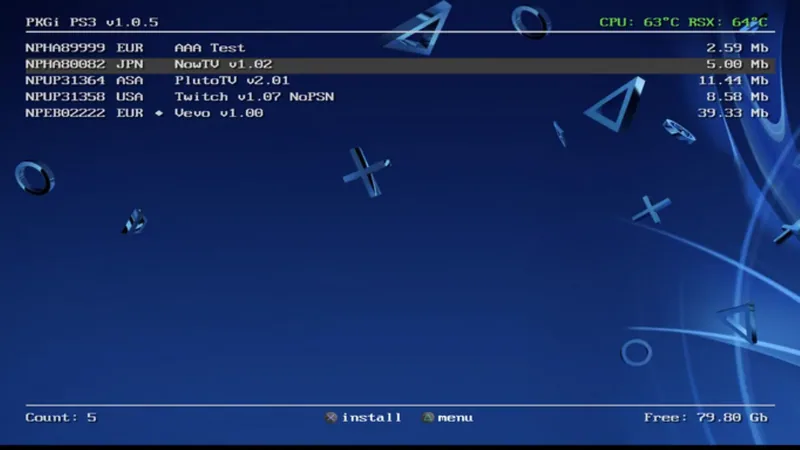
A homebrew app that allows you to download and install .pkg files directly on your PS3.
- Easy to use: list available downloads, including searching, filtering, and sorting
- Standalone: no PC required, everything happens directly on the PS3
- Automatic downloads: just choose an item, and it will be downloaded by the app to your HDD (direct mode) or queued for background download (background mode) using the internal Download Manager
- Resumes interrupted downloads: you can stop a download at any time, switch applications, and come back to resume the download later
- Content activation: the app can generate .rif files for downloaded content (system must be activated)
Note: you still need to place a config.txt file in /dev_hdd0/game/NP00PKGI3/USRDIR using an FTP client or a file manager like multiMAN, so PKGi can fetch game lists. See the PKGi README for the format.
AcidPS3 Store
A homebrew store for the PS3 by AcidNT3.1. Browse and install homebrew apps and games straight from your console.
Homebrew only: this is not a replacement for the official PlayStation Store, and it has no pirated content. Works on CFW and HEN.

Apollo Save Tool (PS3)
An application to manage save-game files, trophies, and licenses.
This homebrew application allows you to download, unlock, patch and resign save-game files directly on your PS3. It can also unlock and resign trophies, backup/restore licenses, and create PS2 Classic images.
Editing without a backup can result in permanent data loss.
multiMAN
By deank.
The classic all-in-one backup and file manager. Still handy alongside webMAN MOD.
- Mount and launch game backups
- File manager with copy, zip extraction and NTFS/exFAT support
- Built-in FTP server
- Play games over the network with ps3netsrv
- Homebrew downloader
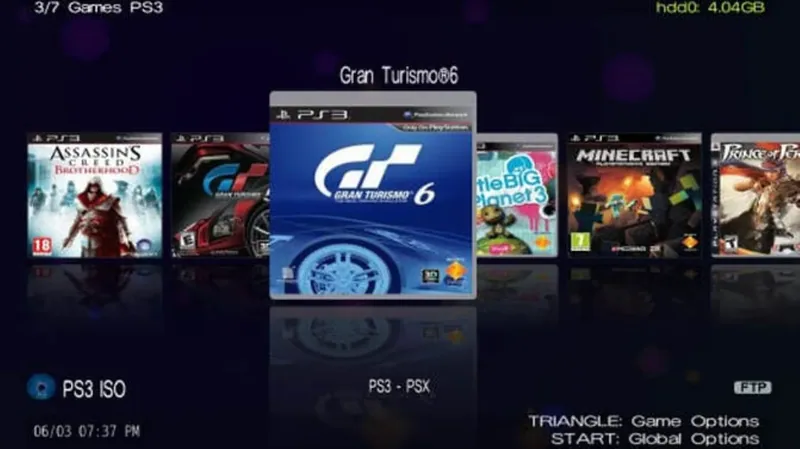
IRISMAN
A fork of Iris Manager originally created by Estwald and D_Skywalk, and modified by aldostools (& at times updated and contributed by other devs, including Joonie, Habib, Alexander, NzV, Orion, EvilNat, etc.).
IRISMAN includes almost all the features of the original backup manager and the following main features, among many others.
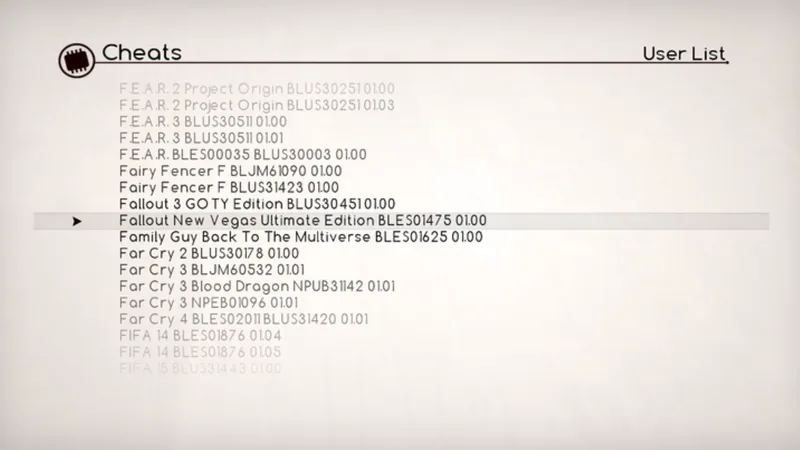
Artemis
An Open Source PlayStation 3 Hacking System created under the Project Artemis initiative.
Notes
This is a fork of Dnawrkshp's ArtemisPS3 that includes the following network features:
- Online Cheat Database: access to the latest cheats for over 2000+ games online
- Local Database Update: download and update your local cheat database with the latest codes

PS3 DualSense & DualShock 4 Controller Plugin (Enhanced DS45Pad)
Developed by domyno6773.
A high-performance background VSH PRX/SPRX plugin for the PlayStation 3 (CFW and PS3HEN).
Providing native USB and internal Bluetooth support for the PlayStation 5 DualSense (CFI-ZCT1), DualSense Edge, and DualShock 4 controllers.
Featuring full, native support for the physical PlayStation (PS / Home) button with zero button combinations!
Easier install: DS45Pad Installer by neptune2005 (v2.0.0) installs the plugin from a PKG, so there are no files to copy by hand. Install it with Package Manager and run it once.
Installation (PS3HEN & CFW)
All development, kernel offsets, and real-hardware testing have been performed exclusively on Firmware 4.93 (PS3HEN 4.93).
Compatibility with older or different firmware versions (e.g., 4.80 – 4.92, or various other CFW/HEN revisions) is not guaranteed and has not been tested, as internal kernel TOC offsets and memory structures may vary.
Pre-compiled, hardware-verified binaries are included in the ps3_ready/ folder.
Step 1: Copy files to the console
Using FTP (via multiMAN or webMAN MOD) or a FAT32 USB drive:
Create the directory on your PS3 internal hard drive:
/dev_hdd0/plugins/ds45pad/
Copy the following files into that directory:
ps3_ready/plugins/ds45pad/ds45pad_vsh.sprx→/dev_hdd0/plugins/ds45pad/ds45pad_vsh.sprxps3_ready/plugins/ds45pad/ds45pad.txt→/dev_hdd0/plugins/ds45pad/ds45pad.txtps3_ready/plugins/ds45pad/ds45pad_devices.txt→/dev_hdd0/plugins/ds45pad/ds45pad_devices.txt
Step 2: Configure plugin autoload
On /dev_hdd0/:
Open or create /dev_hdd0/boot_plugins.txt (or /dev_hdd0/boot_plugins_nocobra.txt depending on your setup).
Add this line:
/dev_hdd0/plugins/ds45pad/ds45pad_vsh.sprx
Ensure there is a newline at the end of the file.
Step 3: Bluetooth pairing (first time only)
- On the PS3 XMB, navigate to Settings → Accessory Settings → Manage Bluetooth® Devices.
- Select Register New Device and start scanning.
- On your DualSense, press and hold the Create (Share) button and the PS button simultaneously until the lightbar starts blinking rapidly.
- Select the Wireless Controller on the PS3 screen.
- If prompted for a passkey, enter
0000.
Step 4: Reboot and play
- Restart your PS3.
- If running PS3HEN, click Enable HEN.
- Press the PS button on your DualSense and it'll connect over Bluetooth.
Press the PS button at any time to open the native XMB menu, and press Circle to dismiss it!
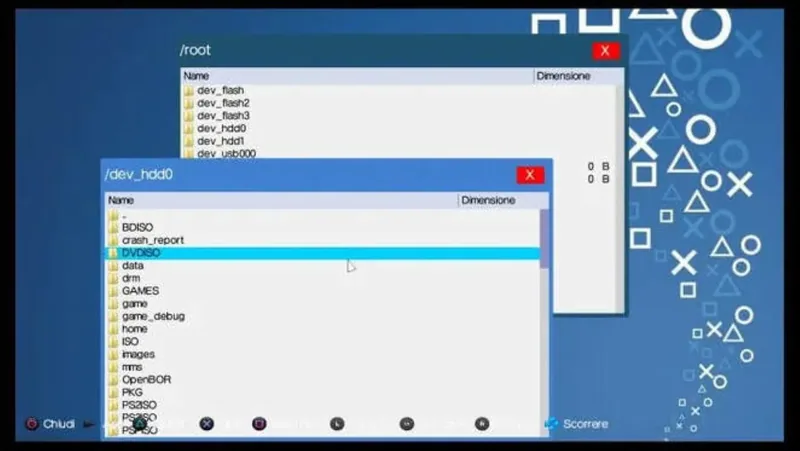
PS2 ISO Launcher
By HABIB.
A placeholder app that launches PS2 ISOs or PS2 Classic-format games on PS3s that can’t play PS2 discs. Works on HEN and CFW.
- It needs activating. The AIO download on Brewology includes what you need.
- On Cobra 8.2 or 8.3 you don’t need the RAP file any more.
- The console needs one activated PSN account.

PS2 Disc Cache
By Calyps0man.
A plugin that lets PS3s without PS2 hardware play your original PS2 discs. Insert a PS2 DVD and it copies the disc to the HDD as an ISO, then mounts it through webMAN MOD every time you insert that disc again, so you launch it from the disc icon in the Game column as usual.
- Insert a disc with no ISO yet and a notification asks you to press R3 within 30 seconds to copy it. It copies, verifies and mounts it, showing progress on screen
- Copying runs at about 4–6 MB/s: roughly 12–15 minutes for a 4.3 GB disc, plus a few minutes to verify. Eject the disc to cancel
- ISOs go in
/dev_hdd0/PS2ISO, named after the disc. You can rename or move them: they’re matched by their contents, and ISOs made with other tools are recognised too - Uses the PS3’s own PS2 software emulator, with its usual limits
boot_plugins.txt. Don’t launch a game until it says matching ISO ready, or the PS3 will try to boot the physical disc and show a black screen. PS2 CDs aren’t supported.
Requirements: Cobra CFW, webMAN MOD, an original PS2 DVD, and free HDD space for the whole disc plus 64 MB.
Installation
- Download
ps2_disc_cache.sprxandboot_plugins.txtwith the buttons below. - Copy
ps2_disc_cache.sprxto/dev_hdd0/plugins/. - Copy
boot_plugins.txtto/dev_hdd0/, or add this line to the one you already have:/dev_hdd0/plugins/ps2_disc_cache.sprx - Restart the console.
Note: don’t load it through webMAN’s VSH menu, as that locks up the XMB.

spookyflow
By spooky.
A cover-flow game launcher. Your PS1, PS2 and PS3 games sit on their own tabs as boxes you flick through, and it hands them to webMAN MOD to mount and launch.
- Finds your games on the internal HDD, NTFS/exFAT drives (through webMAN) and FAT32 USB drives. PS2 ISOs need to be on the internal drive
- Covers from your webMAN/multiMAN cover folders, or downloaded from several cover sites
- Per-game settings: auto-play, emulator, offline mode, PS2 CONFIG and hide game. Multi-disc games are grouped together
- Backgrounds and music: animated scenes or your own pictures, and MP3/WAV music from
/dev_hdd0/tmp/spookyflow/music/(Select skips a song) - L1/R1 switch tabs, L2/R2 jump by letter, Triangle opens Game Settings, Start opens Flow Settings, and holding Circle goes back to the XMB
Note: needs webMAN MOD installed and running.
PSX RiPPER
By bjornwiberg.
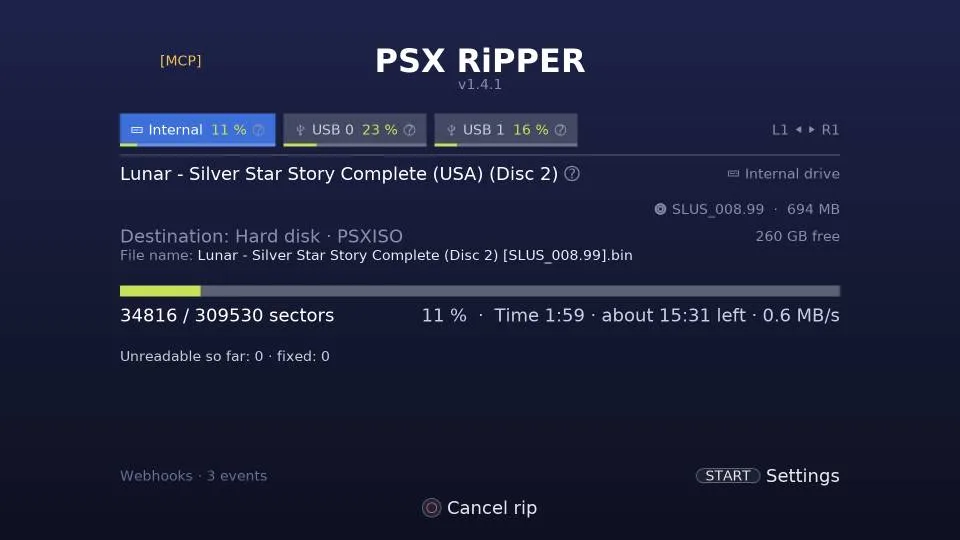
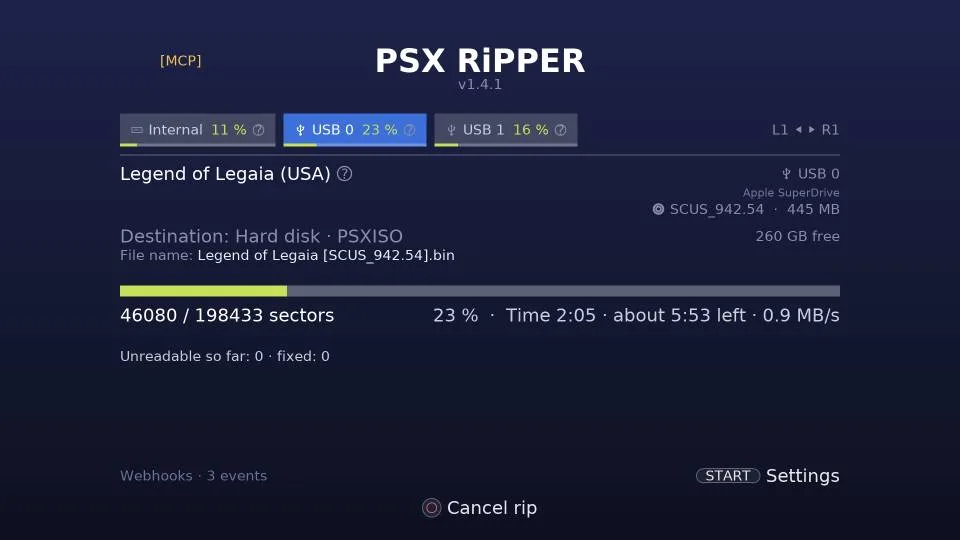
Rips your own PS1 discs to bit-perfect .bin/.cue images, ready to play with webMAN MOD and Cobra. It reads from the PS3’s Blu-ray drive and up to two Apple USB SuperDrives at the same time, and checks every rip against Redump.
- Bit-perfect rips: all tracks including CD audio, with damaged sectors re-read slowly and verified
- Redump verification, and Repair re-reads only the sectors that failed, so you can clean a disc and try again without a full re-rip
- LibCrypt
.sbifiles are created for the PAL discs that need them - Saves to the internal HDD or a USB drive (FAT32/exFAT), with a game list of your
PSXISOfolder and an audit log with undo - Automatic mode rips when a disc goes in, and a remote-control web page runs on port 8090
Note: CFW with Cobra only (tested on Evilnat 4.93). Only rip discs you own.
Thermal Bench
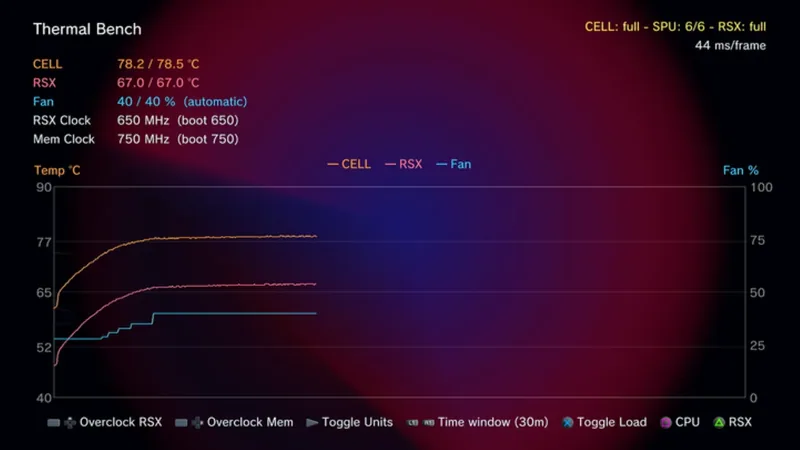
Monitor and test your PS3's thermal performance with precision.
Key features:
- Live readouts for CPU/GPU temperature, fan duty, and RSX clocks
- Real-time graph showing the last 2–30 minutes
- Four load steps from idle to full burn (CPU, 6x SPUs, graphics)
- Change RSX core and memory clocks live (no reboot)
- Switch between °C and °F with Start
- Previous runs overlaid as faded line for easy comparison
- Saves data to
/dev_hdd0/tmp/thermal-bench/ - Safety cutoff at 88°C: drops load and resets clocks
- Visual warnings for errors (cutoff, manual fan, recording issues)
PS3 Unlock HDD Space
Developed by picard (aka 3141card). Based on einsteinx2's tutorial on PSX-Place.
Your PS3 quietly holds back about 8% of the internal drive as reserved space. This app drops that to 1%, so on a 500 GB drive you get roughly 35 GB back. Handy if you've just upgraded the hard drive.
How it works:
- Install the .pkg on a HEN or CFW PS3 and run it. It finds the active superblock of the GameOS partition and patches it.
- Sets reserved space from 8% to 1%, and sets the optimisation value to 1 to cut down on fragmentation.
- The change is permanent. It's written to the drive when the system unmounts the GameOS partition.
- Changed your mind? Run the app again and it puts the original values back.
Use at your own risk. It edits the file system directly, so back up anything you care about first (the developer isn't responsible for any damage).
HDD Atlas
By daedra000.
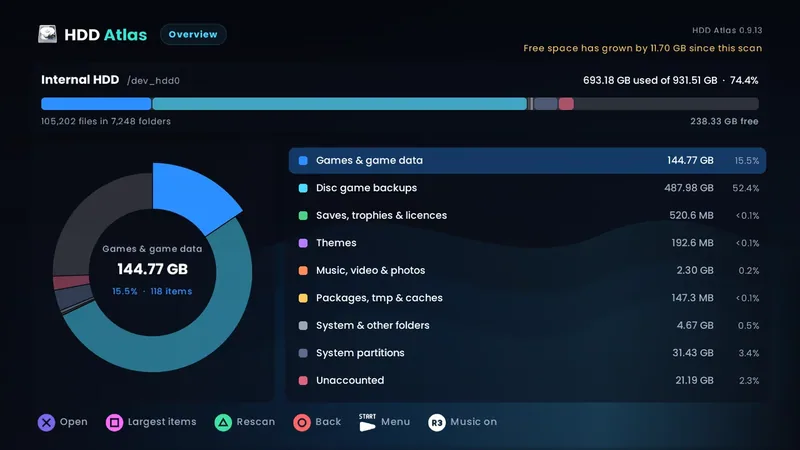
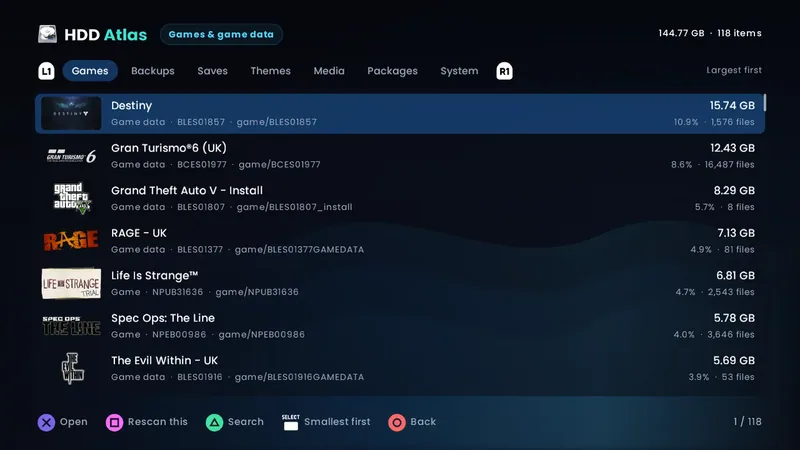
Shows what’s using the space on your HDD and USB drives. It scans a drive and sorts everything into games, disc backups, saves, themes, media, packages and system data, shown as a ring chart you can open right down to the last file.
- Free up space: finds leftover packages, caches, duplicate games, unfinished installs, old system updates, and updates and saves for games you no longer have, with the reason for each
- Games, all together: each game’s install, backups, saves and trophies added up by title, plus games you haven’t played lately
- Duplicates and identical files, a map of the drive, and the largest files and folders
- Drive health: the internal drive’s SMART data, read-only, for hard drives and SSDs (with an SSD’s life left). It warns you if a scan hits read errors, and has a short guide for a drive that’s wearing out
- Safe deleting (off by default): only safe-to-remove files, held for 7 days in a recycle bin so you can put them back
- Reads NTFS USB drives as well as FAT32, and comes in 16 languages
Found a bug? Send your log, /dev_hdd0/game/HDAT00001/USRDIR/hddatlas_log.txt, through the contact form. Attach it as a file or paste it into Pastebin and include the link. You can copy it off the console by FTP or with a file manager.

PS3 Health
Developed by lucasdaddiego.
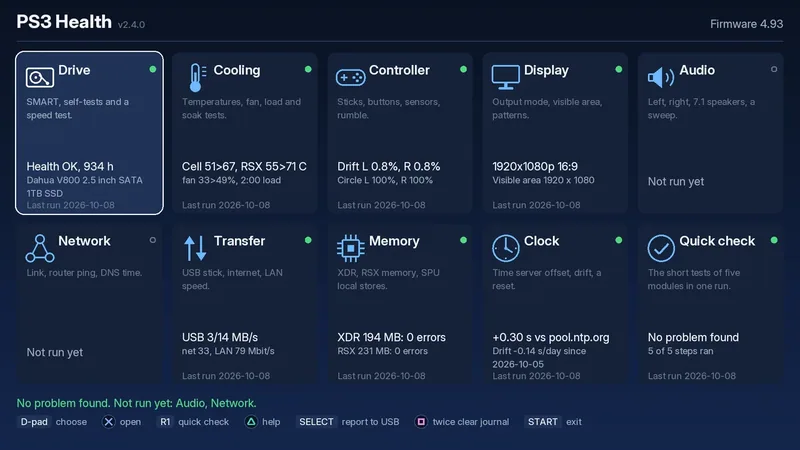
A full health check for your PS3, run from the TV. No PC needed and no opening the console up. Nine modules sit behind one home screen, and R1 runs a quick check of the lot with one verdict at the end.
What it checks:
- Drive: SMART data for the internal HDD or SSD, a health verdict, wear tracking over time, self-tests and a speed test
- Cooling: Cell and RSX temperatures, fan speed, a load test with a temperature graph and an estimate of whether your thermal paste is due a change (tests stop at 75 °C)
- Controller: stick drift, every button’s pressure, the motion sensors and rumble
- Display and audio: TV test patterns, overscan, input lag, what your TV reports over HDMI, and left/right and 7.1 speaker tests
- Network and transfer: connection details, ping, DNS time, and USB, download and LAN speed tests
- Memory: pattern tests on the XDR, the RSX’s GDDR3 and all six SPUs
- Clock: checks the console clock against a time server and warns if the clock battery looks flat
Every result goes into one text report, and Select copies it to a USB stick. Built for 1080p, still readable at 720p.
PS3PlaytimeTracker
By vlad-bystritskii.
A tiny background plugin that logs every play session on the console itself: which game, which PS3 user, and for how long. It needs no PC or network, so it keeps counting offline too.
- Exact times from the PS3’s clock, with start and end times for each session
- An XMB notification when you stop playing, with the session length and today’s total
- Sessions are saved to
/dev_hdd0/playtime/sessions.jsonl, a plain log you can read over webMAN’s FTP or copy to USB. A session in progress survives a power cut - About 5 KB, and runs alongside webMAN MOD
Installation
- Copy
playtime.sprxto/dev_hdd0/plugins/. - With webMAN MOD (most people): don’t add it to
boot_plugins.txt, as a second boot plugin next to webMAN can freeze HEN at startup. Instead, create/dev_hdd0/autoexec.batwith:wait xmb wait 5 /loadprx.ps3?prx=/dev_hdd0/plugins/playtime.sprx - Without webMAN: add
/dev_hdd0/plugins/playtime.sprxto/dev_hdd0/boot_plugins.txt. - Restart the console.
qDNSm
Developed by Tha14.
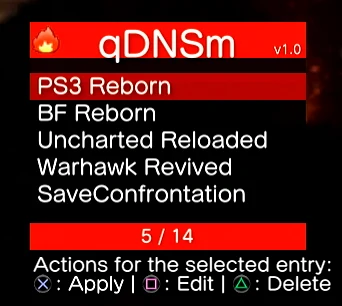
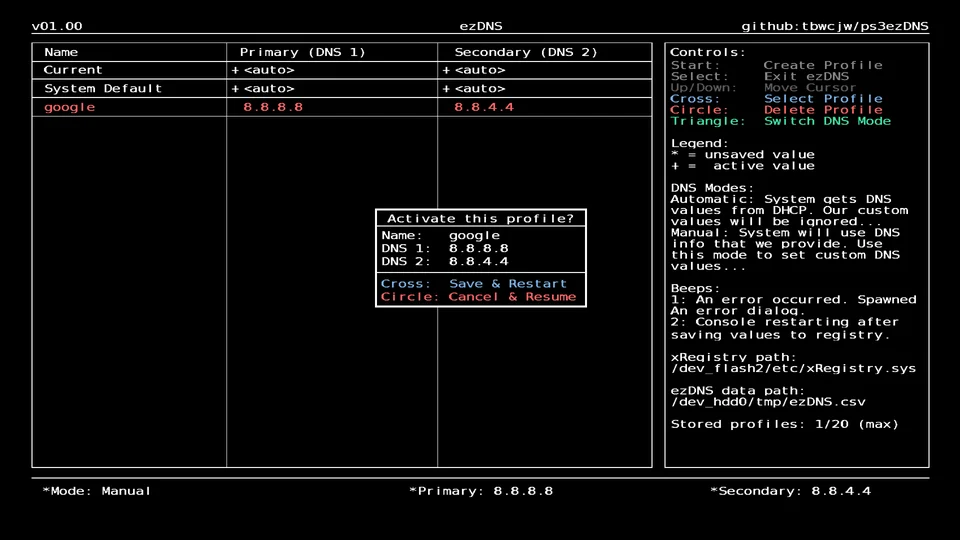
An XMB plugin for switching DNS without going into Network Settings. Press R1 + R2 + R3 anywhere on the XMB, pick a server and it reconnects for you.
- Comes with the online revival servers already listed, and can update the list
- Shows which games each server supports
- Has to load before webMAN MOD. The installer sorts that out.
See the Multiplayer Revival page for the servers themselves.
TEE Remote Play
By TheErsysEnding (TEE), built on mohasi’s cell-stream. PS3 app 1.1.0, server 1.1.1.
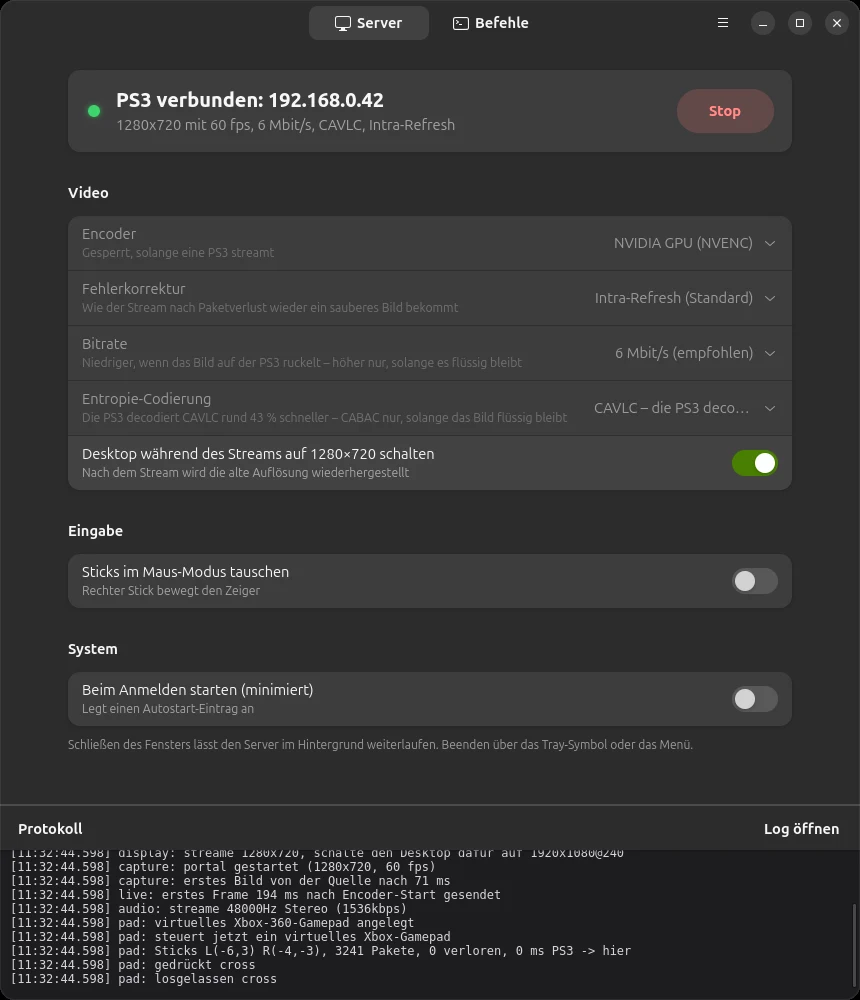
Remote Play the other way round: stream your PC’s desktop and games live to the PS3, and play them with the PS3’s controller. It works like Steam Remote Play or Moonlight, with the PS3 as the screen.
- 60 fps at up to 1920×1088 with sound, and around 25–47 ms of delay on a wired connection
- The controller drives the PC as a mouse and keyboard, or as a real Xbox 360 pad that games see as plugged in
- No setup on the PS3: start the app and it finds the server on its own
- Record the stream to the HDD (it shows up under Video on the XMB), with on-screen stats and a button guide
You need: a PC running the server, which is on Linux for now (Ubuntu 24.04 or Debian 13 and newer, installed with one .deb; a Windows installer is on the way), and the PS3 app on HEN or CFW. A wired connection works best. Playback is smooth with the odd stutter.
CRT Toolset (240p for PS3)
By Gabarsolon. Experimental.
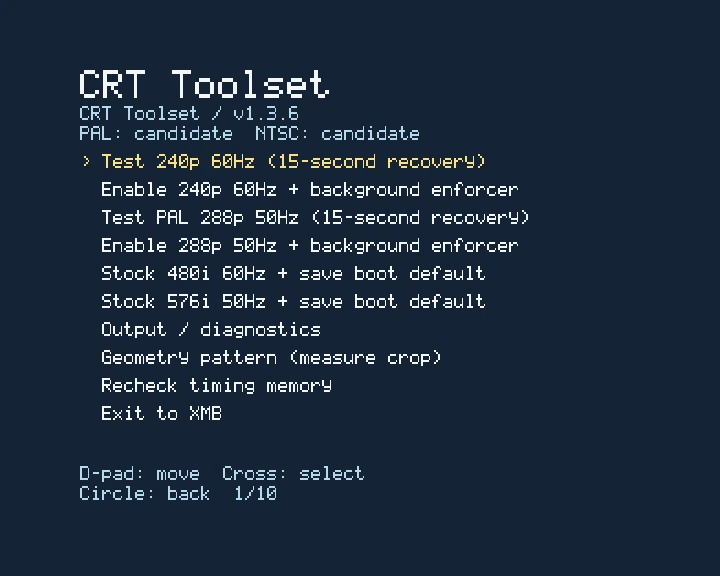
Makes the PS3 output a true 240p (60 Hz) or 288p (50 Hz) picture over the AV Multi Out cable, the low-resolution signal retro games were made for on CRT TVs, in place of the usual interlaced 480i or 576i.
- Test, then enable: each mode is tried first and goes back to normal after 15 seconds unless you confirm the picture
- A background helper keeps the mode on through the XMB, PS1 games and RetroArch (settings for 240p RetroArch are in the repo)
- Stock 480i and 576i can be picked and saved as the boot default
- The change lasts until you reboot, so a restart always puts the PS3 back to normal
Requirements: CFW with Cobra (tested on Evilnat 4.93) and the AV Multi Out cable in a supported SD mode. HEN isn’t supported. Saving a boot default also needs webMAN MOD. Reboot before installing it with Package Manager, and turn the mode on again after each reboot.
Note: it’s still experimental. The signal hasn’t been measured on test equipment yet, and only some games and RetroArch cores have been tried.
PS3 GamePad Test
Developed by zar.
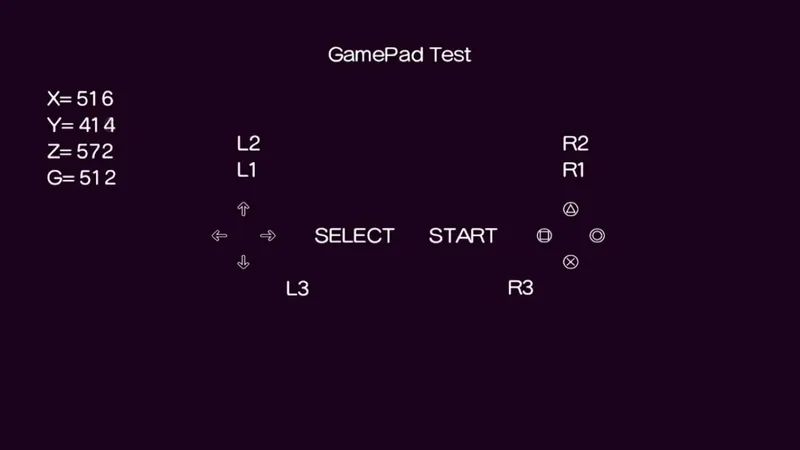
A simple utility to test your GamePad functions.
Controls & Functions:
- Speed 1: hold CROSS and UP
- Speed 2: hold CROSS and DOWN
- L3 + R3: activate small motor
- L3 + R2: manage large motor speed with R2 button pressure
ps3xpad: Switch Pro Controller Plugin
By nopeman321, built on the xpad plugin.
A background plugin that lets you use a Nintendo Switch Pro Controller on the PS3, along with pads that speak the same protocol, like the 8BitDo Ultimate C in Switch mode. Games and the XMB see it as an official pad, with the face buttons mapped to the PlayStation layout by position (the bottom button is Cross, the right one Circle) and Home as the PS button.
- Wired over USB, or wireless through a USB Bluetooth 5.3 dongle (Realtek RTL8761BU, plus some CSR and Broadcom dongles). It remembers your controller and reconnects on later boots
- Rumble and player LEDs
- New in 1.2: motion controls, as native SIXAXIS for games that use it, plus optional gyro aiming on the right stick
Installation
Wired (USB):
- Copy
xpad.sprxto/dev_hdd0/plugins/. - Add
/dev_hdd0/plugins/xpad.sprxto/dev_hdd0/boot_plugins.txt. - Restart the console.
Wireless (Bluetooth dongle): also copy rtl8761bu_fw.bin to /dev_hdd0/plugins/, plug the dongle into the PS3, and turn on the controller (hold its pairing button the first time). The plugin loads the dongle’s firmware, finds the controller and connects.
Note: don’t put xpad_game.sprx in boot_plugins.txt: it’s a per-game plugin for rumble, loaded through webMAN’s Game Plugins, and loading it at boot crashes the console when mounting ISOs.
MinVerChk
Download hosted by the ConsoleMods wiki.
Shows the lowest firmware your PS3 can ever install (its minimum version), which tells you whether it can run CFW. It works on a PS3 that isn’t hacked, and it doesn’t install anything: it runs like a system update and stops at the version check.
Who needs it: mainly CECH-25xx Slims with a date code other than 9x, 0x or 1A. Every Fat and CECH-20xx/21xx can run CFW, and CECH-30xx and Super Slims can’t, so there’s no need to check those. Not sure which you have? Use the Jailbreak checker.
How to use it:
- Extract the
PS3folder from the zip to the root of a FAT32 USB stick, so the file sits atPS3/UPDATE/PS3UPDAT.PUP. - Plug the stick into the right-most USB port on the PS3.
- Go to Settings → System Update → Update via Storage Media.
- Read the message: “Update data of version X or later can be installed on this system.” Then back out with Circle.
- Delete the file from the stick afterwards so you don’t confuse it with a real update.
What the result means:
- 3.56 or lower: your PS3 can run CFW.
- 3.60 or higher: HEN only (or qCFW with a soldered BadWDSD modchip).
MD5 of PS3UPDAT.PUP: BB39828156BC7DF144E4D06D81C801AB